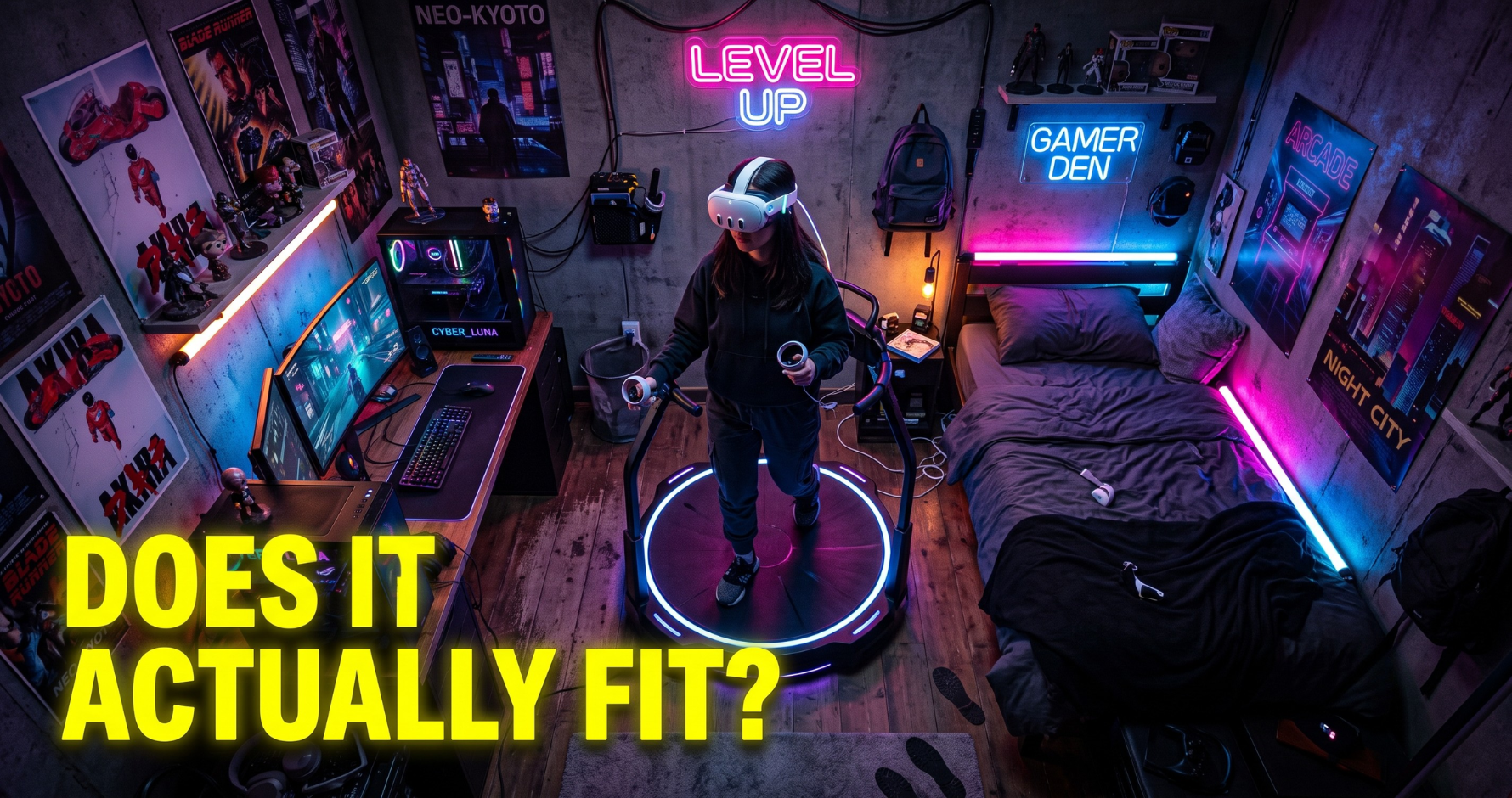
You’ve watched the gameplay videos, you’ve imagined yourself physically sprinting from gunfire, and you are finally ready to pull the trigger on a KAT Walk C 2. But right before you hit that 'Checkout' button, a wave of practical panic sets in: "Wait... is this massive machine actually going to fit in my gaming room? And is it going to be a nightmare to set up?"
Take a deep breath. Do not let the fear of space constraints kill your ultimate VR dreams.
The truth is, setting up the KAT Walk C 2 in a standard home or apartment is significantly easier—and requires much less square footage—than most people realize. (By the way, if you are still wondering what to play once your space is ready, make sure to bookmark our guide on the [Top 5 Best VR Games to Play on KAT Walk C 2 in 2026] so you can jump straight into the action).
Whether you are anxiously waiting for your treadmill to be delivered, or you are still on the fence solely because of room size, this ultimate 2026 home setup guide is for you. We are going to break down exactly how much physical space you actually need, share expert tips for a safe setup, and reveal the must-have official KAT VR accessories that will push your immersion to the absolute max.
How Much Space Do You Actually Need for the KAT Walk C 2?
The biggest misconception about omnidirectional VR treadmills is that you need an empty, warehouse-sized room to use one. That might have been true for commercial arcade setups a decade ago, but the KAT Walk C 2 was engineered specifically for the modern gamer's home.
So, let’s talk numbers. The actual base of the KAT Walk C 2 is surprisingly compact. It requires a physical footprint of just about 1.5 square meters (roughly 16.1 square feet). To put that into perspective, if you have enough floor space in your bedroom or living room to place a standard computer desk and an office chair, you have more than enough room for this machine. It is designed to slide perfectly into a corner or sit alongside your existing PC setup without dominating the entire room.
However, there is a crucial difference between the footprint of the base and your active play area. While the treadmill's harness keeps your body safely locked in the center, your arms will still be moving frantically as you swing swords in Blade & Sorcery or throw grenades in Pavlov.
Here is the golden rule for space optimization before you set it up:
• The Arm-Span Test: Stand exactly where you plan to place the center of the treadmill. Stretch your arms out completely in a T-pose and spin 360 degrees. If you don't punch a wall, knock over a monitor, or hit a bookshelf, your floor space is perfect.
• Ceiling Clearance is Key: Don't just measure the floor! You will be standing on a slightly elevated platform. Make sure you have enough ceiling height to reach straight up without smashing your VR controllers into a low ceiling fan or a light fixture. A standard 8-foot (2.4-meter) ceiling is generally perfect for most average-height users.
Once you realize how little real estate it actually demands, the fear of "it won't fit" completely disappears. It is the ultimate space-saving solution for full-body VR.
4 Official KAT VR Upgrades to Perfect Your Setup
Now that you know your room space is perfectly adequate, it’s time to talk about the ecosystem. While the base KAT Walk C 2 comes with everything you need to start walking in VR, adding a few official upgrades can transform a great experience into an absolute masterpiece. Plus, buying these directly from the KAT VR store ensures 100% compatibility and saves you on bundled shipping.
Here are the four must-have official accessories you should seriously consider adding to your cart:
KAT Nexus (The Meta Quest Savior) If you are a standalone VR user—meaning you own a Meta Quest 2, Quest 3, or Pico headset but do not have a high-end gaming PC—the KAT Nexus is completely non-negotiable. Normally, omnidirectional treadmills require a PC to process the movement data via SteamVR. The KAT Nexus acts as a powerful wireless bridge, plugging directly into your router to connect the treadmill straight to your standalone headset. It entirely eliminates the need for an expensive PC, unlocking native standalone games in seconds. 👉 Check out the KAT Nexus on the Official Store Here
Extra KAT VR Dedicated Shoes (For Family & Friends) Here is a scenario that happens to every new KAT VR owner: You set it up, you take your first steps in Skyrim, your mind is blown, and immediately your partner or friend says, "Let me try!" The problem? The machine relies on custom, low-friction shoes, and it only comes with one pair tailored to your specific shoe size. If you plan on sharing the metaverse with anyone else in your house, do yourself a huge favor and order an extra pair (or two) of the dedicated shoes in their sizes right from the start. 👉 Grab an Extra Pair of KAT VR Shoes Here
The Sitting Posture Module (or the KAT Walk C 2+ Upgrade) VR isn't all just running and gunning. What happens when you want to jump into the cockpit of a spaceship in No Man's Sky or drive a car? Standing awkwardly while sitting in a virtual vehicle breaks immersion instantly. The official Sitting Posture Module attaches to your harness and allows you to physically sit down, seamlessly transitioning between walking and driving. (Pro Tip: If you haven't bought the machine yet, I highly recommend upgrading directly to the KAT Walk C 2+, which has this sitting module built beautifully into the core design!) 👉 Explore the Sitting Module & KAT Walk C 2+ Upgrades Here
KAT Fitness Comfort Insoles
While the dedicated shoes are engineered for perfect tracking, standing and running in VR for hours can take a toll on your feet. The official KAT Fitness Comfort Insoles are a must-have, low-cost upgrade. Designed with ergonomic support and breathable materials, they provide the extra cushioning you need for marathon gaming sessions. If you plan on exploring Skyrim or surviving in Fallout 4 VR for hours on end, do your feet a favor and toss a pair of these into your cart. 👉👉 Click Here to Grab Your KAT FITNESS COMFORT INSOLES And Save Your Feet
Tips for Playing Safely and Comfortably on Your KAT Walk C 2
Setting up the hardware and plugging in the accessories is only half the battle. Because the KAT Walk C 2 requires physical exertion, ensuring your body is properly positioned is critical for long, comfortable gaming sessions. Here are a few expert tips to keep you safe and eliminate fatigue:
Master the Harness (Don't Fight It): The biggest mistake new users make is trying to stand perfectly straight up while walking. The harness is engineered to support your body weight. You need to lean forward slightly into the waist belt, engaging your core, almost as if you were pushing a heavy shopping cart. Ensure the straps are snug to prevent chafing, but not so tight that they restrict your breathing. Let the machine hold you!
Perfect the "Glide" Stride: Walking on a slick parabolic base is different from walking on pavement. Instead of lifting your knees high and stomping down, focus on keeping your feet relatively flat and gliding them backward. Start with a slow, relaxed pace in a calm exploration game before you jump into a frantic multiplayer shooter. Your brain will adapt to the movement within the first 15 minutes.
Cable Management is Crucial: If you are playing wired PCVR (instead of wireless standalone), nothing ruins immersion faster than getting wrapped up in a heavy headset cable during a 360-degree spin. While the KAT Walk C 2 has cable routing on the back pillar, investing in a cheap overhead ceiling pulley system is a game-changer for keeping the wire completely out of your way.
Hydrate and Ventilate: Make no mistake—running in VR is a legitimate cardiovascular workout. You will sweat. Keep a high-powered floor fan pointed directly at your torso. Not only does this keep your core temperature down and prevent your VR headset lenses from fogging up, but the feeling of wind hitting your face also massively increases the immersion of running outdoors in a game.
Conclusion: Your Ultimate VR Room is Ready
Setting up a KAT Walk C 2 at home doesn't require an empty warehouse or a degree in engineering. As long as you have a spare corner, a little bit of ceiling clearance, and the right official accessories to match your playstyle, you are just minutes away from the most immersive full-body VR experience available today.
It is time to stop worrying about floor space and start preparing your legs for the metaverse. Your gaming room is about to become the ultimate portal to endless digital worlds.
💡 [2026 Pricing & Value Note]: If you are making your final decision in 2026, it comes down to immediate value. The KAT Walk C 2 is not only fully in stock and engineered to fit standard homes, but it also frequently runs seasonal discounts that competitors like the Omni One currently cannot match. Why wait months and pay more?
Ready to step into the game? Check the latest price, availability, and grab those must-have accessories directly from the official store below:
👉**[CLICK HERE TO CHECK CURRENT 2026 DEALS ON THE KAT VR OFFICIAL STORE]**
Comments
Join the discussionNo comments yet. Be the first to comment.